Products
Solutions
Resources


💬 Statsig ChatGPT App

💬 Statsig ChatGPT App
We’re excited to announce the Statsig ChatGPT App — bringing Statsig into the place where more and more product work happens: ChatGPT.
Whether you’re using ChatGPT to draft analysis, experiment reviews, PRDs, user behavior studies, launch plans, or stakeholder updates, you can now pull in Statsig context directly into your workflow and take action without leaving the conversation.
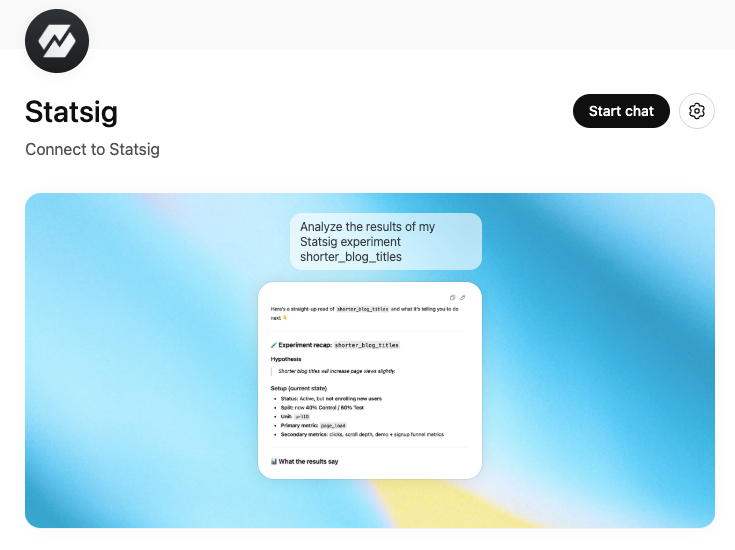
What it can do
With the Statsig ChatGPT App, you can:
Bring Statsig into your analysis by pulling experiment context and results, and asking questions like “what moved?” or “what should we do next?”
Compound knowledge across your connected tools by tying Statsig data to the docs, notes, and discussions you already have connected in ChatGPT
Build a flywheel of rapid iteration by generating insights and instantly creating or updating Statsig gates, experiments, and dynamic configs, all within ChatGPT.
Why this matters
ChatGPT is increasingly embedded in the day-to-day workflows of product builders. The Statsig ChatGPT App enhances that workflow, letting you plan with real results and ship the next step immediately—all in the same thread.
Getting started
Install the Statsig ChatGPT App.
Connect your Statsig workspace (you’ll be prompted to authenticate).
Start exploring — and shipping.
For more setup instructions, see our docs page.
Try these prompts
“I’m writing an experiment review — pull the latest results and context for [experiment name] and draft a summary.”
“Based on this PRD, create an experiment with two variants and the key metrics we mention.”
“Create a feature gate for [feature] and roll it out to 5% of users in [segment].”
“Create a dynamic config called [name] with these keys, and suggest a safe rollout plan.”
Loved by customers at every stage of growth