Products
Solutions
Resources


⭐ Github AI Integration

Github AI Integration
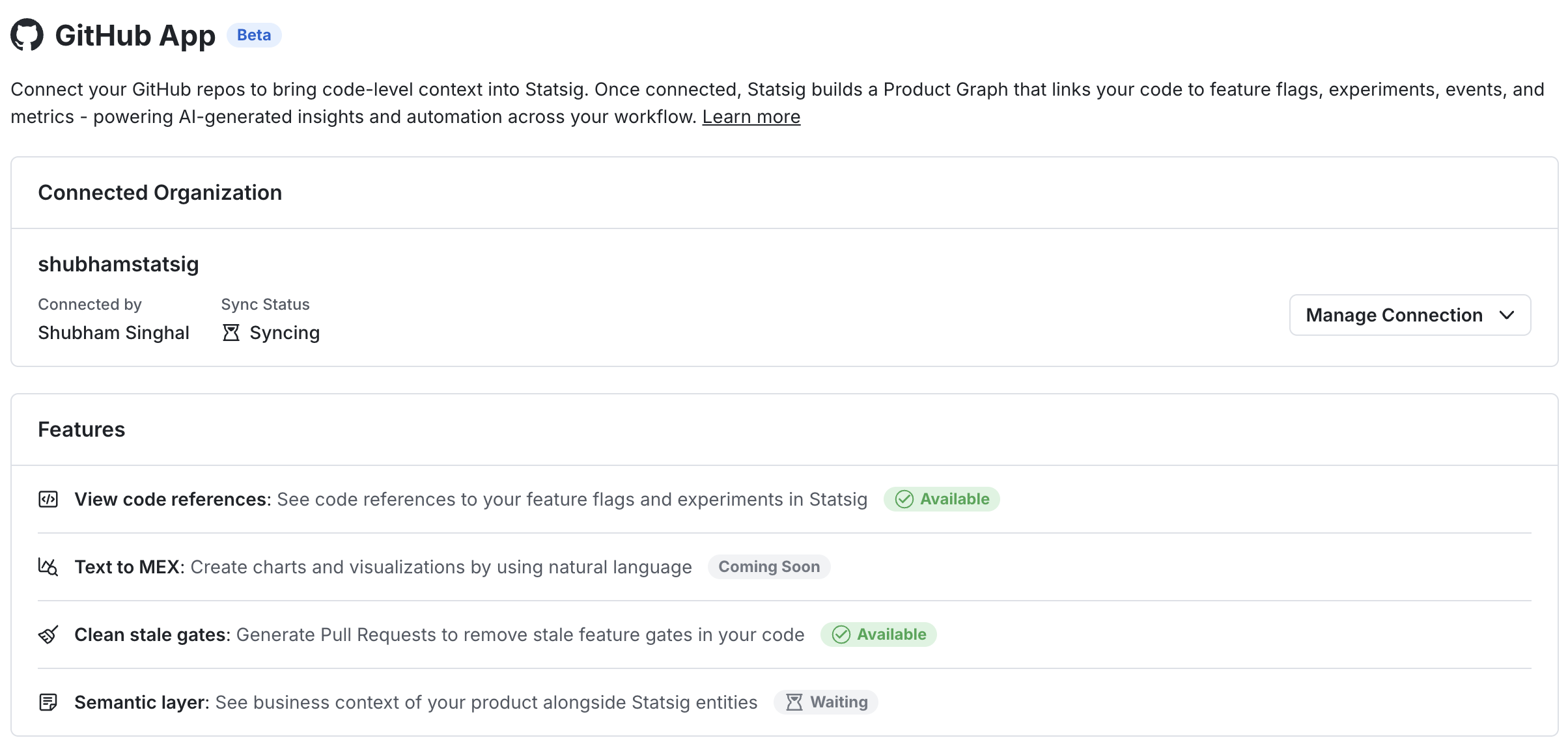
We’ve launched a new GitHub AI Integration that connects Statsig directly to your codebase. This is a foundational capability that powers a growing set of AI features across Statsig console.
Why this matters
Through Github connection, Statsig understands where flags, experiments, and metrics live in your code. We then build a Knowledge Graph which maps relationship between code and Statsig entities. Once GitHub is connected, Statsig becomes "code-aware." This unlocks workflows that weren’t possible before, tying product insights directly back to the code that shipped them:
Contextual Descriptions: AI-generated descriptions that understand code context behind each metric, flag, and experiment. Quickly understand what each entity in Statsig does and why it exists.
Stale Gate Cleanup: One-click workflow to generate PRs to remove stale feature flags directly from Statsig console
Metric Explorer Co-pilot (Coming Soon): Describe what you want to analyze in plain English and Statsig creates a chart with the right events, metrics, and breakdowns.
Getting started
To use this integration, navigate to Settings -> Integrations -> Github App page in your Statsig console. Authorize with your Github credentials and install the app on your desired repos. Please contact your Github Org admin to install Statsig App to use the above features! Read more here: https://docs.statsig.com/integrations/github-ai-integration
Loved by customers at every stage of growth